1
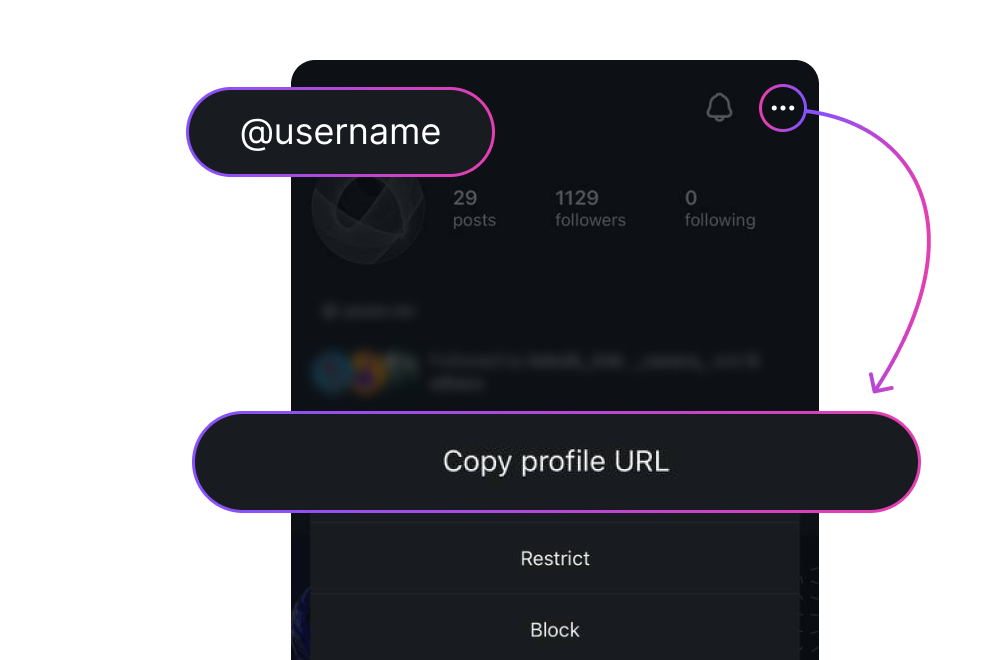
Copy the post URL from Instagram
Open the post in Instagram, tap ••• → Copy link, or copy the address from the browser bar.
See who liked any public post: free, without login and apps.
100% Anonymous · No Login · Free · Any Device
An Instagram likes viewer is a free web tool that takes any public Instagram post URL and pulls back two things at once: the total like count and the full list of usernames who liked that post. It works for photos, reels, carousels and video posts — paste the link, and you see real engagement instead of guessing.
It's the simplest way to do a post likes checker without an Instagram account. We don't connect to your IG, don't ask for a password, and don't leave a footprint on the post owner's side. Use it for competitor research, influencer vetting, content audits or just to see who liked a post when Instagram has hidden the count.
Three quick steps — no account, no app, no trace.
Open the post in Instagram, tap ••• → Copy link, or copy the address from the browser bar.
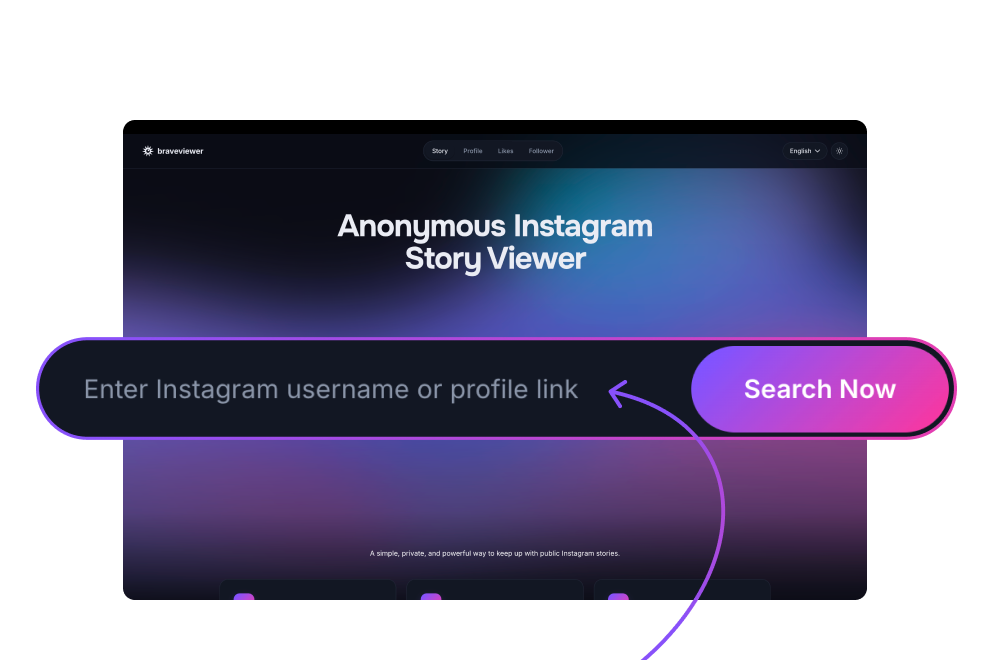
Drop the post URL into the input field — both web and shared mobile links work.
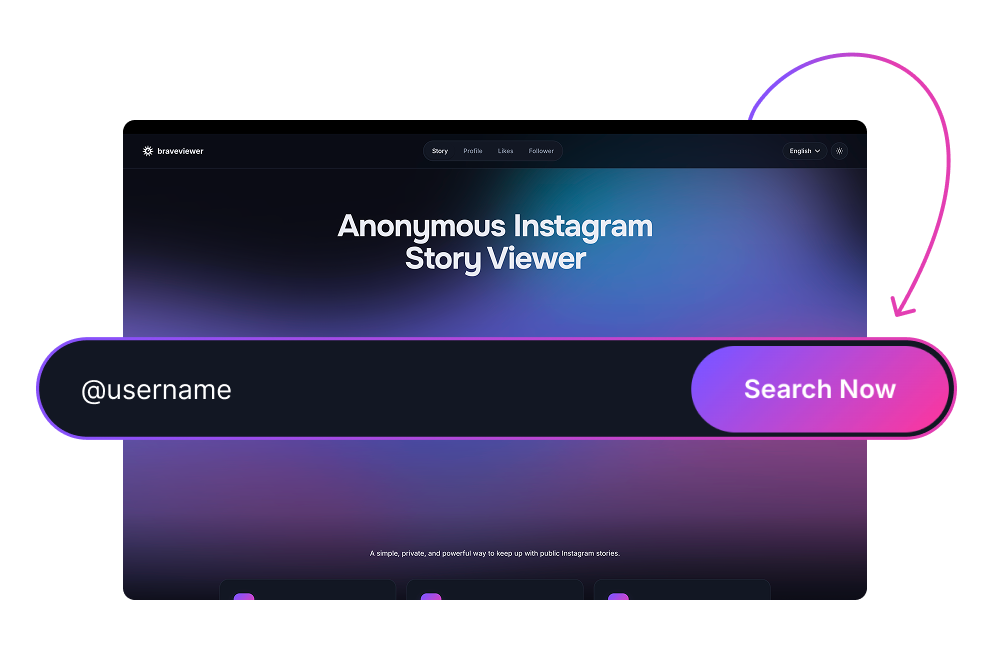
Hit View likes — the total count and a scrollable list of usernames who liked the post load instantly.
Six reasons to pick this likes checker over the Instagram app or paid trackers.
Get the actual like count and full liker list for any public post — not the rounded "liked by X and others" line Instagram shows in the app.
When the post owner has hidden their like count, our viewer can still surface the public engagement signal Instagram exposes through its own infrastructure.
Use the tool fully without an Instagram account. Just paste a post URL — there's no signup on our site and no IG connection is ever requested.
Photos, reels, video posts and multi-slide carousels are all supported. The like count and likers list load the same way for every format.
The post owner gets no notification, no "seen" event and no record of your visit. Lookups stay between you and our backend.
Same experience on iPhone, Android, iPad, Mac and Windows — runs in any modern browser, with no extension or app to install.
Every public post format Instagram supports.
For any public photo post, get the exact like count plus a scrollable list of every public account that liked it. Works whether or not the owner has hidden the count in the IG app.
Reels are supported the same way as feed posts — paste the reel URL and you get the like total along with the public list of accounts who tapped the heart.
Multi-slide carousel posts are treated as a single unit, just like Instagram does internally. The like count is the combined total across all slides with the full liker list.
Standalone video posts return the same engagement detail as photos and reels — the count and the public usernames behind it, with no need to scrub through the video itself.
Real use cases people open this tool for every day.
Identify a competitor's top-performing posts by their actual like counts — not the public "and others" placeholder. Spot which creatives and hooks drive real engagement before planning your own.
Verify whether a creator's engagement is genuine before signing a deal. Compare like counts across posts, scan likers for obvious bot patterns and avoid the inflated-metrics trap.
Capture engagement data across public posts for academic, OSINT and trend analysis without a logged-in account skewing the sample. Stable, repeatable lookups, no follow-graph noise.
Run competitive content research — see which posts in your niche actually land. Like-count visibility tells you what to remix and what to skip, faster than scrolling Reels for hours.
Export a public list of accounts who engaged with a competitor's product post or industry thought-leader. That's a warm, pre-qualified audience for outreach with a real signal of interest.
Pull like-by-like data for campaign reports, weekly competitor digests and stakeholder decks. No more screenshotting the "and others" line — get the real number on the slide.
Sometimes the use case isn't professional. You want to see who liked your crush's last post, check whether a partner is engaging with certain accounts, or just settle a curiosity without opening Instagram yourself. No account, no trace, no notification to the other side.
Your teenager has a public Instagram and you want to know what kind of content they're engaging with — without following them or triggering a notification. Check the likes on any public post quietly, from any device, with no Instagram account required on your end.
How we keep both you and the post owner safe — and what never touches our servers.
We pull engagement data through our own backend, not your Instagram session, so the post owner gets no notification, no story view event and no trace of you in their activity feed.
We don't log visitor IPs together with the posts you look up. Only the minimum needed to fight abuse is kept, and it's never shared with anyone outside our infrastructure.
Unlike trackers that ask you to connect your IG, we never request access to your account. There's no OAuth handshake, no "log in with Instagram" prompt and no silent data sync.
No field on this site asks for your Instagram password — not even hidden behind a "secure" modal. If a viewer ever asks you to type your IG password, walk away.
Honest list of edge cases. We'd rather tell you up front than waste your time.
We can't show likes on posts from private Instagram accounts. If the account is set to private, the post and its engagement data aren't public on Instagram's side — no honest tool can surface them.
Instagram limits the publicly exposed likers list, usually to the most recent ~1,000 accounts on very popular posts. The total count is still accurate, but the list itself may be truncated.
When Instagram rate-limits public endpoints (especially around viral moments), data may load partially or with a short delay. Try the same URL again in a minute and it usually returns in full.
Once a post is deleted or made private, it's gone from the public layer entirely. Likes that were undone by their owners also disappear — we can only show what Instagram is currently exposing publicly.
How a no-login likes checker stacks up against the official Instagram app and typical free third-party trackers.
| Feature | Our tool | Instagram app | Other viewers |
|---|---|---|---|
| See who liked when count is hidden | ✓ | — | Partial |
| View without Instagram login | ✓ | — | Varies |
| Anonymous viewing — no name in viewer list | ✓ | — | Partial |
| Mobile + desktop support | ✓ | ✓ | Varies |
| No app install required | ✓ | — | Varies |
| Price | Free | Free | Ads / paid |
Real reviews from people running the likes viewer day to day.
Finally a tool that shows likes even when they're hidden. I do influencer vetting and being able to scan the full liker list across multiple posts in one afternoon saves me hours every week. No more screenshotting one post at a time.
I just paste the post link and get the full list. Used it on a competitor's reel and instantly saw who their actual audience is. Mind blown.
Works exactly like promised. Sometimes Instagram limits the likers list and you don't get everyone, but the page is honest about that upfront so I'm not surprised.
Best part is no login. I don't even have an Instagram account anymore and I can still check engagement on public posts. Perfect for my agency work.
used this to scan who liked a niche fitness post and reached out manually to the most engaged accounts. got 40+ replies. wouldn't have found those leads any other way
Quick, clean, no ads in your face. Just paste, click, see likes. The way it should be.
Mostly works great. Once a post wouldn't load and I had to retry, but every other time it's been instant. Reels work fine too.
I run a small brand and was curious why competitors' posts are blowing up. Turns out half their likers are bots — couldn't have figured that out without a list to scan through.
Honestly didn't expect a free tool to surface hidden likes this reliably. Most tools paywall that or just hand you a rounded "and others" number. Saved me $30/month vs Snoopreport
Love that it shows hidden likes on Reels. Instagram makes that data so hard to find these days. This brings it back.
Solid tool. Wish there was a way to track multiple posts at once instead of pasting them one by one — that's my only nitpick.
The interface is so clean. No popups, no "sign up to continue" mid-flow. Just the result, plain and simple. 10/10.
Used this for a campaign performance audit. Compared engagement across 12 sponsored posts in one afternoon. Would have taken me a full day manually.
I check who likes my crush's posts. There I said it. No notification, no trace, just answers.
Good for public accounts. Doesn't work on private ones obviously, but the page tells you that clearly so I respect the honesty.
Carousel posts work fine, photo posts work fine, reels work fine. I tested all of them before committing — every single format showed the likers.
I'm a journalist and this helps me check engagement claims when influencers brag about their numbers. Real data, no fluff.
The "paste from clipboard" button on mobile is such a small thing but it makes a huge difference. Whoever designed this thought it through.
Works fine for most posts. Sometimes Instagram throttles and I have to wait a minute. Not the tool's fault really, just how IG is these days.
I was paying for a similar tool and it was buggy as hell. Switched to this — hidden likes load every time, the interface doesn't fight me, and it's free. Wish I found it sooner
Everything you might wonder before pasting a post link.
Copy the post link from Instagram (••• menu → Copy link, or the URL bar in a browser), paste it into the search field above and hit View likes. The tool returns the post's total like count and a scrollable list of public usernames who liked it. No Instagram account is needed.
Often, yes. When a post owner toggles "Hide like count" in Instagram, the post stays public — Instagram just masks the number in the app. Our viewer reads engagement data through Instagram's public endpoints and can usually reconstruct the count and liker list. If the account itself is private or Instagram rate-limits the lookup, we'll show that honestly instead of faking a number.
No. The owner gets no notification, no "viewed" event and no entry in their activity feed when you run a lookup. We pull data through our own backend rather than your Instagram session, so there's nothing on their side to tie the request back to you.
No. You don't need an Instagram account or a registered account on our site. Paste a public post URL, click View likes and you're done — there's no signup at all and no "log in with Instagram" prompt.
No, and any tool that claims otherwise is either lying or asking for the owner's login. Posts from private Instagram accounts hide their engagement from the public layer entirely. The only legitimate way to see them is to be approved as a follower.
Instagram rolled out hidden like counts globally in 2021 as a wellbeing measure — they didn't want users comparing themselves to influencers' numbers. Each account can toggle visibility per post. The post stays public, but the count is no longer visible inside the Instagram app or on the web feed.
Yes. Reels, carousels, photo posts and standalone video posts are all supported. Paste the URL of any of them and the tool returns the same kind of data: total likes plus the public liker list. For carousels, the count is the combined total across all slides, exactly as Instagram counts it internally.
The cap comes from Instagram's side, not ours. Instagram's public endpoints only expose the most recent likers on a post — typically around the latest 1,000 accounts on viral or high-engagement posts — and there's no public way to page beyond that window. The total like count we show is still the real number Instagram reports, so engagement metrics stay accurate; only the visible list of usernames is truncated when a post has gone past the limit. For posts under that threshold, you get every liker.
Yes. Like-count lookups and the full likers list are completely free — no hidden fees, no credit card, no trial that ends in a charge. There's no paid plan at all. You can run as many lookups as you need.
Yes. The likes viewer works on iPhone, iPad and Android phones and tablets, as well as on Mac and Windows. It runs entirely in the browser — no APK, no App Store download, no extension. Open Safari, Chrome or any modern mobile browser, paste the post URL and the data loads in the page.
Paste a post URL — we'll return the count and full liker list anonymously, with no login required.
100% Anonymous · No Login · Free · Any Device